
Featured
Some features & applications of Ventity:
View More Featured Items-
Interactive Charting
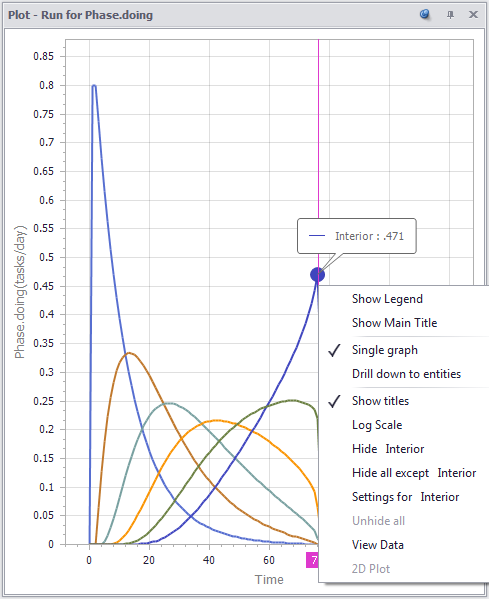
You can pop up a chart on any variable in a diagram or list from a context menu. Charts feature smart scaling, brushing for values and legends, and drilldown, all a right-click away.
-
Vensim Model Import
One of the newer features of our recent releases is the Vensim Model Import tool, and we’d like to take a few moments to walk through some of its uses and some tips for importing models from Vensim to Ventity. The first thing to keep in mind is that importing a Vensim model can only
-
Entity Selection by Attribute
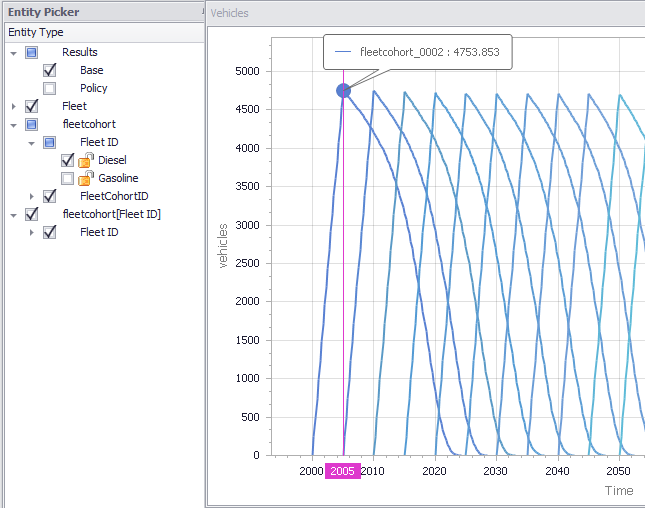
Need to see all the model year cohorts of diesel vehicles in your fleet? No problem. Ventity’s Entity Picker lets you select entities for viewing by model run, unique ID, or any entity attribute. Similarly, you can create collections of entities by attribute, and use those to compute aggregates – sum, average, maximum – for
News
We invite you to read about recent releases and other news:
View More News-
Ventity 5.2 Release
Feature Enhancements ·Sensitivity Analysis now uses parallel simulation which utilizes available processors to speed up the process ·Save Period to reduce size of output files and speed up processing ·Sensitivity Progress Window has been added to monitor the progress of a sensitivity run ·Style Sheets can now be used to change font sizes and colors
-
Ventity 5.1 Release
Ventity 5.1 adds new features including Run Lists, Style Overrides, and options to hide run-time warnings. This version also supports the use of entities created during the simulation by sensitivity and optimization parameters. See the help for more details.
-
What’s New @ ISDC 2024
Video from the Ventana Systems vendor demo/user group session at the 2024 System Dynamics conference in Bergen. See also: the new workshop video.